

Choose MP4 for a finished video. Use an external-editor timeline export when you need separate cuts and references to the source media for further finishing.
Open the MP4 settings
- Review your edit, open Export and choose the gear beside Video (.mp4).
- In MP4 Export Settings, review Resolution, Avg. video bitrate (kbps), Frames per second and Sample rate (Hz).
- Use Reset to Default if you want to restore Gling's calculated settings.
- Choose Export MP4. Sign in with the account associated with your project if prompted, then wait for completion and inspect the saved video.
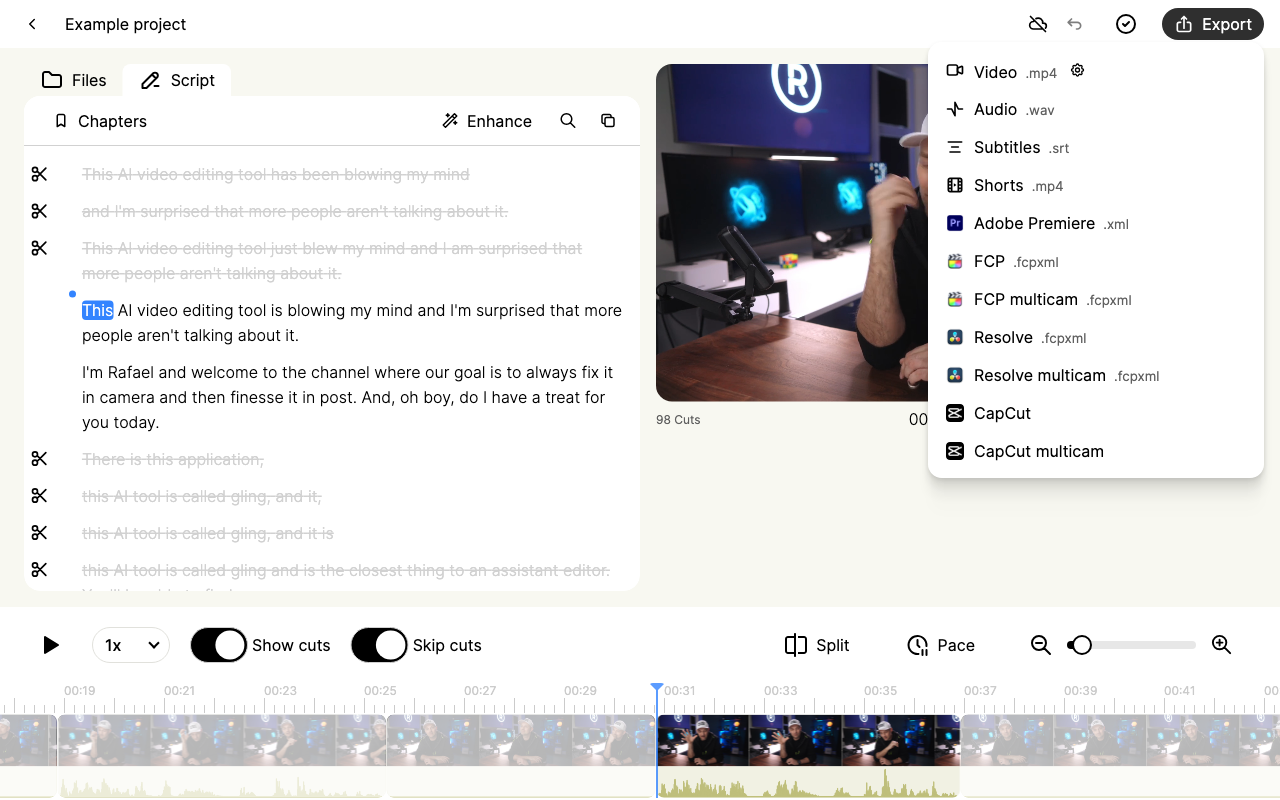
Open the video settings menu screenshot at full size.

Open the MP4 settings screenshot at full size.
Resolution and bitrate
Resolution controls the output's pixel dimensions. The settings include standard sizes up to 4K and preserve the project's aspect ratio when calculating width. Increasing the output size does not recover detail missing from the original recording.
Bitrate affects file size and compression. A higher value can preserve more detail but makes a larger file. The current bitrate field uses kilobits per second, with values from 1,500 to 68,000. Gling calculates a starting value from the project's dimensions and frame rate.
Frame rate and sound
The frame-rate field accepts whole-number values from 24 to 60. Gling's default rounds a source rate up to a whole number and caps it at 60. For example, 29.97 fps can default to 30 fps; 59.94 can default to 60 fps. This MP4 route does not promise an exact fractional-frame-rate master.
The audio Sample rate is measured in hertz and defaults to 48,000 Hz. It is separate from the video frame rate.
Watermarks and editor handoff
The Free plan's video output includes a watermark; eligible paid plans remove it. Check the plan shown in your account and the current plan controls before paying again.
A rendered MP4 bakes in visible cuts, captions, zoom and overlays. A timeline export can preserve editable structure, but destination support varies. Keep the original media and use the guide for Premiere, Final Cut, Resolve or CapCut.